Hi Paul:
Here are the steps-
1) Sign up at
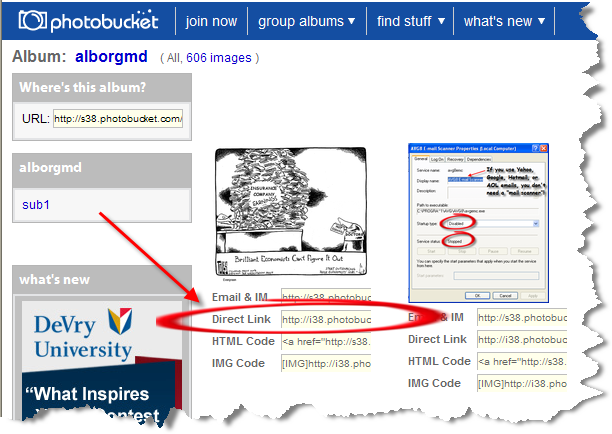
http://s38.photobucket.com/albums/e103/alborgmd/ . It's free, and when you upload your pictures, it gives you 4 ways to present the URL. At the AC Forums, you need to use the 2nd one down-
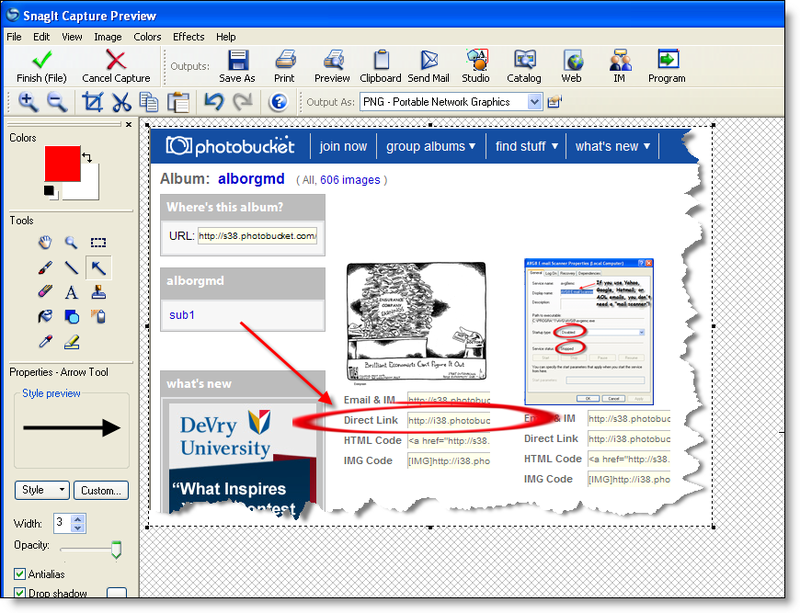
2) Get an photo editing product. I use the cheap $39
SnagIt! which not just captures anything on your screen, but allows you to place text, drawings, and special effects.
3) There are 2 ways to get your pics... one is to simply Google a topic, s.a. "fat CEOs", select "Images" and click on your pic of choice, then again click on it (it'll be on the top of the page). The URL can be cut/pasted.

The other is to use SnagIt! to cut out the pic to doctor it up a bit. You then save it to your hard drive, and upload it to Photobucket. Collect the URL as stated above.
4) Now go to the "Edit Post" area of Amazing Charts and first click on the "Enter an Image" click button, then place the URL into the pop-up window.

Bingo!
Cheers,
Al